You are here
![Sum and Average in Spreadsheets - Formula [with Examples] - Class 8 - Spreadsheets](https://cdn.teachoo.com/026386ce-c493-4a72-b283-29549e41f05b/slide78.jpg)
Last updated at August 14, 2026 by Teachoo
Transcript
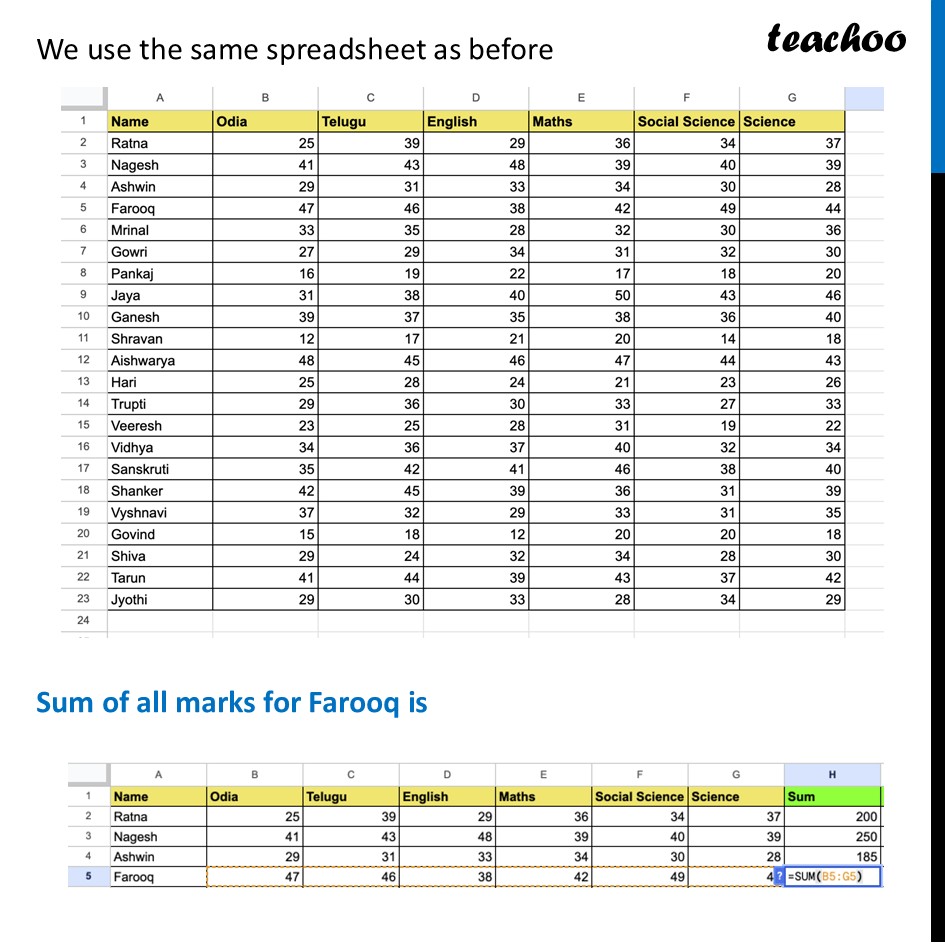
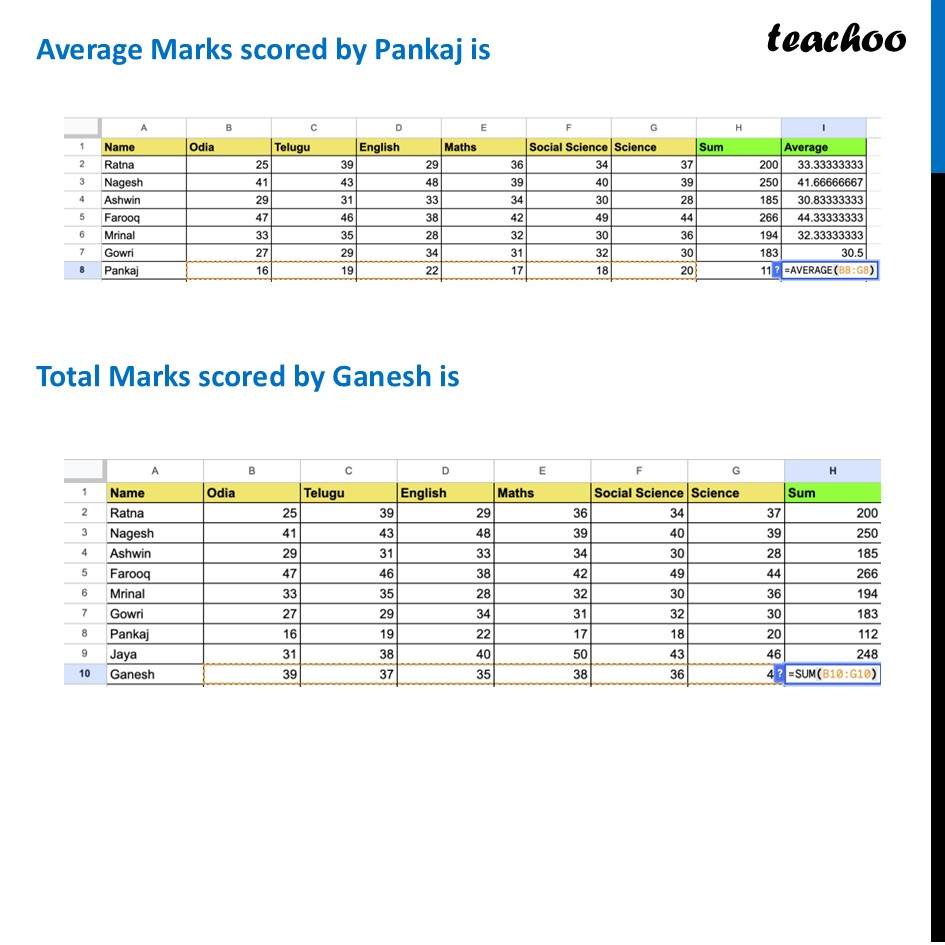
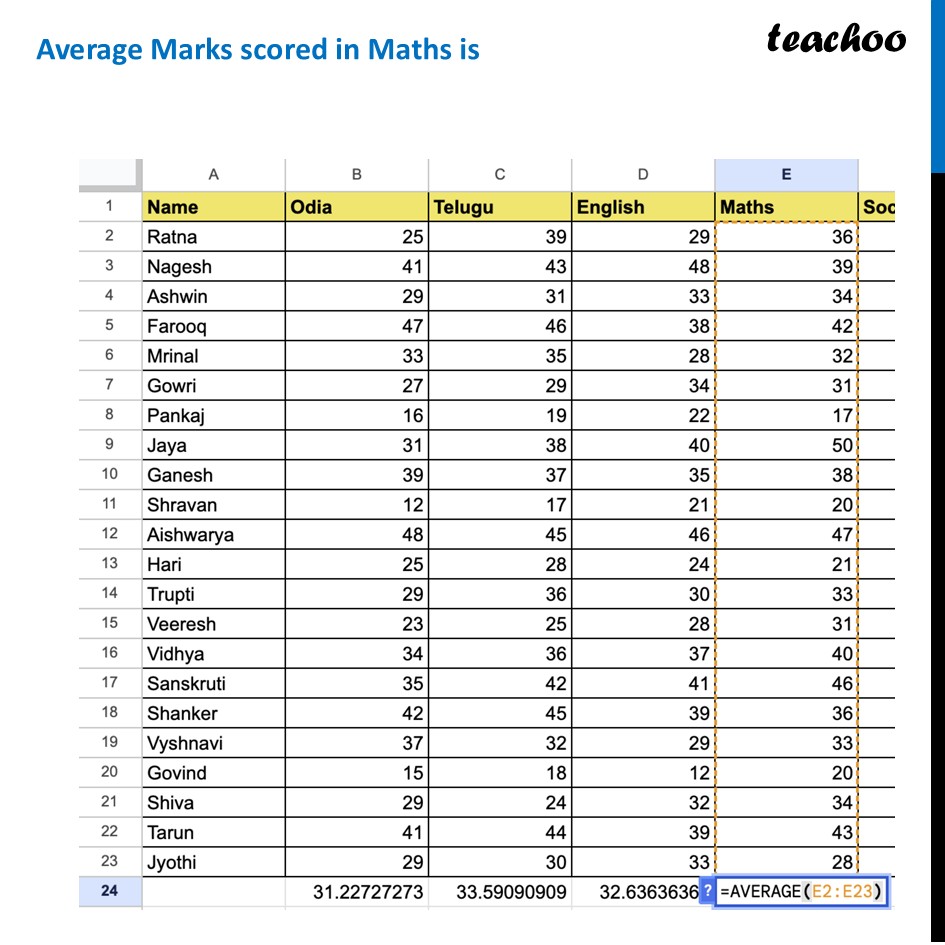
Sum and Average in SpreadsheetsInstead of using a calculator, we can type a formula into a cell, and the computer does the math instantly. We tell the computer which cells to look at by using a range, written as Start : End - =SUM() adds everything together. =AVERAGE() finds the mean. There are 22 students in the class list. Because Row 1 is used for the header titles, the students' data takes up Rows 2 through 23 Let’s look at some examples We use the same spreadsheet as before Sum of all marks for Farooq is Average Marks scored by Pankaj is Total Marks scored by Ganesh is Average Marks scored in Maths is